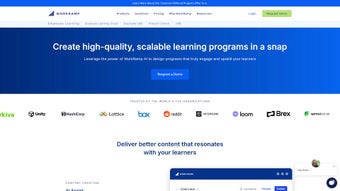

Download WorkRamp – AI‑Powered Learning Management System for Secure Employee & Customer Training
Overview of WorkRamp
WorkRamp positions itself as a next‑generation Learning Management System (LMS) that blends artificial intelligence with a cloud‑first architecture to deliver a seamless training experience for both employees and customers. In today’s fast‑moving business environment, companies need a learning platform that can keep pace with product releases, regulatory updates, and shifting skill requirements. WorkRamp answers that call by offering three distinct clouds – the Learning Cloud, the Employee Learning Cloud, and the Customer Learning Cloud – each tailored to specific audience segments while sharing a unified backend.
The platform’s core promise is to turn learning into a measurable driver of revenue, support efficiency, and partner enablement. By centralizing content creation, certification pathways, and reporting, WorkRamp helps organizations eliminate the silos that traditionally plague training initiatives. Moreover, its high‑level security protocols, including ISO‑27001 compliance and data encryption at rest and in transit, guarantee that sensitive training materials stay protected.
While the system shines in content richness and AI‑enhanced personalization, prospective buyers should note the current lack of native mobile apps and some advanced gamification features that competitors provide. Overall, WorkRamp stands out as a secure, AI‑infused LMS that can scale from small teams to enterprise‑wide rollouts.
Key Features & AI Advantages that Set WorkRamp Apart
- AI‑Driven Learning Paths: The platform analyzes user behavior, skill gaps, and performance data to automatically suggest personalized learning journeys, reducing the time needed to curate curricula.
- Robust Content Management: Drag‑and‑drop course builder, SCORM/xAPI support, and a vast library of pre‑built modules accelerate content deployment.
- Pitch Certification Engine: Enables sales teams to earn and track product certifications, directly tying learning outcomes to revenue metrics.
- Insightful Reporting & Analytics: Real‑time dashboards provide visibility into completion rates, assessment scores, and ROI, empowering data‑driven decisions.
- Industry‑Specific Enablement: Tailored learning tracks for revenue, support, and partner ecosystems help organizations align training with strategic goals.
- Professional Services Suite: Instructional design, implementation support, and custom onboarding ensure that businesses can extract maximum value from the platform.
- Enterprise‑Grade Security: Role‑based access control, single sign‑on (SSO) integration, and compliance with GDPR and ISO standards safeguard learner data.
- Cloud‑Based Integration: Seamless connectivity with CRM, HRIS, and help‑desk tools such as Salesforce, HubSpot, and Zendesk eliminates data silos.
The AI engine behind WorkRamp isn’t just a buzzword—it continuously refines learning recommendations based on completion patterns, quiz results, and even external data feeds like market trends. For example, a customer success team can receive updated modules the moment a new product feature is released, ensuring they stay ahead of the curve without manual intervention. Additionally, the platform’s certification workflow automatically validates knowledge retention, issuing digital badges that integrate with LinkedIn and internal talent marketplaces. This tight loop between learning, performance, and recognition fuels a culture of continuous improvement while providing leadership with concrete metrics to justify training spend.
Security is another pillar of WorkRamp’s value proposition. All data transmissions are encrypted using TLS 1.2+, and at rest encryption leverages AES‑256. The platform also supports multi‑factor authentication (MFA) and granular permission sets, making it suitable for regulated industries such as finance and healthcare. By hosting the LMS on a globally distributed cloud infrastructure, WorkRamp guarantees high availability and low latency for users across regions, which is essential for multinational enterprises that need consistent learning experiences for remote workforces.
Installation, Usage Instructions, and Compatibility
Getting Started: Simple Cloud Deployment
Unlike traditional on‑premise LMS solutions that require extensive hardware provisioning, WorkRamp is delivered as a Software‑as‑a‑Service (SaaS) offering. To begin, organizations sign up for a free trial on the official website, select the appropriate cloud (Employee, Customer, or Learning), and an onboarding specialist schedules a kickoff call. Within minutes, a dedicated sub‑domain (e.g., yourcompany.workramp.com) is provisioned, and administrators receive an email with temporary credentials.
After logging in, the first step is to configure Single Sign‑On (SSO) using SAML 2.0 or OpenID Connect. WorkRamp provides step‑by‑step guides for popular identity providers like Okta, Azure AD, and OneLogin. Once SSO is active, user provisioning can be automated via SCIM, allowing HR systems to sync new hires instantly. The platform’s intuitive admin console guides users through role creation, permission assignment, and branding customization (logo, colors, welcome messages).
Creating and Publishing Content
The built‑in Course Builder follows a modular approach: instructors drag content blocks (video, PDF, quiz, interactive simulation) onto a canvas, set prerequisites, and define assessment criteria. For teams with existing SCORM or xAPI packages, the import wizard maps assets to WorkRamp’s taxonomy, preserving tracking data. Once a course is published, learners receive automated email invitations or in‑app notifications, depending on their communication preferences.
Supported Operating Systems & Devices
WorkRamp is fully compatible with modern web browsers on Windows 10/11, macOS Monterey and later, as well as Linux distributions that support Chrome, Edge, or Firefox. Although a native mobile app is currently unavailable, the responsive web interface adapts to tablet and smartphone screens, allowing learners to access content via any internet‑connected device. For organizations that require offline access, administrators can enable downloadable PDF assets and video files, which learners can cache in the browser for later viewing.
Integration with existing tech stacks is streamlined through RESTful APIs and pre‑built connectors. For example, syncing completion data to an HRIS like Workday involves a simple API call that pushes certification status, while Salesforce users can embed WorkRamp courses directly into opportunity records, creating a unified view of sales enablement progress.
In terms of updates, WorkRamp follows a continuous deployment model. New AI features, security patches, and UI enhancements roll out automatically, ensuring that every tenant benefits from the latest improvements without manual upgrades. This approach reduces IT overhead and guarantees that training materials always run on a secure, up‑to‑date platform.
Pros and Cons – An Unbiased Look at WorkRamp
Pros
- AI‑driven personalization reduces manual curriculum planning.
- Comprehensive certification engine links learning directly to business outcomes.
- Robust security and compliance features suitable for regulated industries.
- Extensive pre‑built content library accelerates time‑to‑value.
- Seamless SSO and SCIM integration simplify user management.
- Real‑time analytics provide actionable insights for ROI measurement.
- Cloud‑first architecture ensures high availability and automatic updates.
Cons
- No dedicated native mobile apps for iOS or Android (responsive web only).
- Advanced gamification features (leaderboards, points) are limited compared to niche LMS competitors.
- Pricing can be steep for small businesses; enterprise plans require custom quotes.
- Some deep‑customization (branding beyond logo/color) may require developer assistance.
- Learning path automation relies heavily on data quality; poor data can affect AI recommendations.
Overall Verdict: WorkRamp delivers a powerful, secure, and AI‑enhanced learning experience that is especially valuable for organizations focused on measurable enablement. While the lack of native mobile support and some advanced gamification tools are notable gaps, the platform’s strengths in personalization, certification, and analytics outweigh the drawbacks for most mid‑size to large enterprises.
Conclusion, Frequently Asked Questions, and Call to Action
In a landscape where continuous learning is a competitive advantage, WorkRamp offers a compelling blend of AI personalization, rigorous security, and enterprise‑grade analytics. Its modular cloud approach lets companies adopt the exact learning environment they need—whether training internal staff, onboarding customers, or empowering partners—without the overhead of managing servers or complex installations. The platform’s integration capabilities and professional services further reduce friction, making it possible to launch a full‑scale enablement program in weeks rather than months.
If you’re looking for a secure, data‑driven LMS that aligns learning outcomes with business metrics, WorkRamp deserves serious consideration. Start with a free trial, explore the AI‑generated learning paths, and see how the certification engine can turn knowledge into revenue. For organizations that require mobile‑first access, keep an eye on WorkRamp’s roadmap, as a native app is slated for release in the coming year.
Ready to boost your training efficiency and measure its impact? Request a demo today and experience how AI can transform your learning ecosystem.
Frequently Asked Questions
Does WorkRamp offer a free trial or a freemium version?
Yes, WorkRamp provides a 14‑day free trial with access to all core features, allowing organizations to evaluate AI‑driven learning paths, certification tools, and reporting dashboards before committing to a paid plan.
Can WorkRamp integrate with our existing CRM and HR systems?
Absolutely. WorkRamp offers native connectors for Salesforce, HubSpot, Microsoft Dynamics, as well as SCIM‑based provisioning for HR platforms like Workday, BambooHR, and SAP SuccessFactors.
Is there support for offline learning or downloadable content?
While there is no dedicated offline app, administrators can enable downloadable PDFs and video files that learners can cache in their browsers for later viewing without an internet connection.
What security certifications does WorkRamp hold?
WorkRamp complies with ISO‑27001, GDPR, SOC 2 Type II, and uses AES‑256 encryption for data at rest and TLS 1.2+ for data in transit. Role‑based access control and MFA are also available.
How does the AI recommendation engine work?
The AI engine analyzes learner interactions, assessment scores, job role data, and emerging skill trends to suggest personalized learning paths. It continuously refines its recommendations as more data is collected, ensuring relevance over time.
Take the next step: Download WorkRamp, explore its AI capabilities, and empower your workforce with a secure, data‑driven learning platform that scales with your business.






